











Simple network diagnostics, analysis and monitoring
Connectivity is the foundation of Industry 4.0. Industrial communication and data networks are therefore more critical, but also more complex, than ever. Bintz Technics is working to change that. With Mercury Procentec, it is launching a ruggedised tablet for analysing both Profibus and Profinet. For industrial Ethernet installations, there is the Procentec Atlas, the right tool for thoroughly analysing and resolving faults.
Profibus and Profinet have been running side by side in industrial installations for some time. Until recently, each technology required different analysis tools. That is now a thing of the past, thanks to the Procentec Mercury. The Mercury is a mobile network analyser that lets you troubleshoot, analyse and monitor industrial data networks. Running the Osiris operating system, it gives you a detailed picture of the health of your Profibus or Profinet network in a simple, easy-to-read format. The Mercury is also a Windows tablet, so it can be used for everyday administrative tasks too. One of its handy features is the Commissioning Wizard, which lets you check how closely your Profibus and Profinet networks comply with the PI (Profibus & Profinet International) standard. The report generated by the wizard clearly shows what actions you still need to take to bring your network into compliance. This reporting tool is provided as a software licence, either pre-installed on the Mercury tablet or installed separately on a PC.
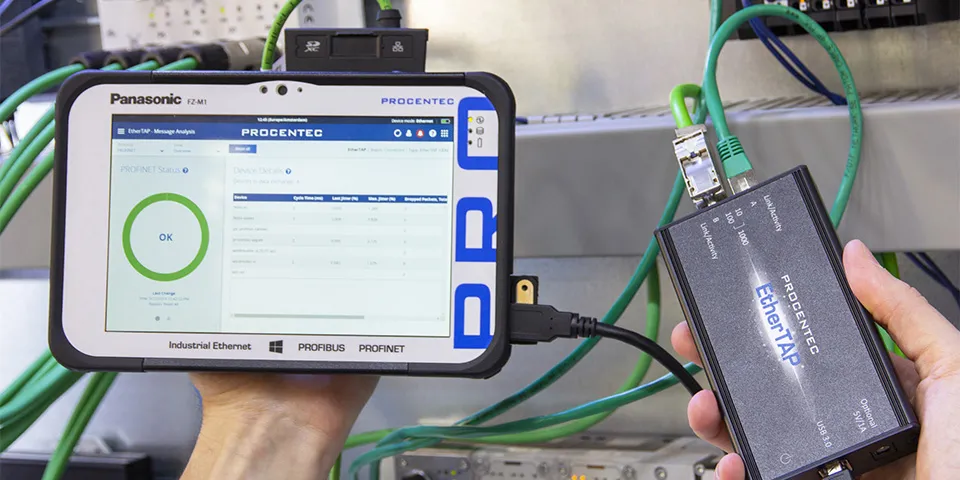
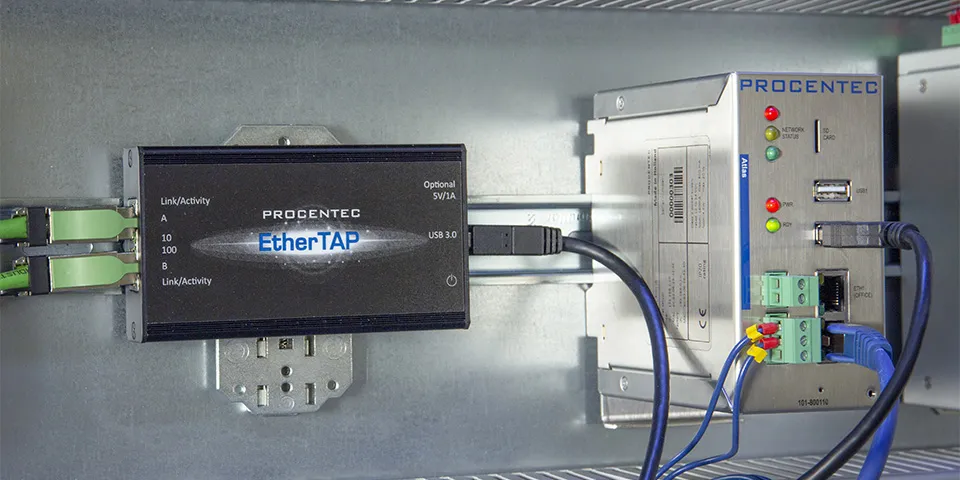
When it is not enough to know whether a device is active on the network and an in-depth, packet-level analysis is needed, the Procentec EtherTAP is the answer.
A simple tool for analysing industrial networks
When it is not enough to know whether a device is active on the network and an in-depth, packet-level analysis is needed, the Procentec EtherTAP is the answer. This passive analysis tool lets you examine all transmitted and received data packets in detail. The collected data can then be loaded into specialist software packages such as Wireshark and Ethereal for further analysis. In short, the Mercury puts the ultimate tool for simple industrial network analysis in your hands. What is more, the Mercury works seamlessly with existing analysis tools such as Profitrace, Combricks and Profihubs. There is therefore no need to discard your existing analysis tools.
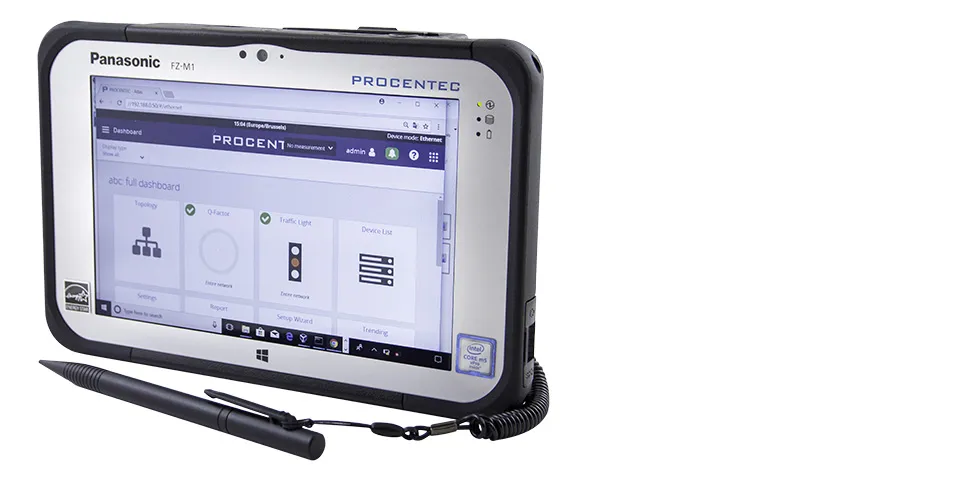
The Mercury ruggedised tablet is a mobile network
analyser that lets you troubleshoot, analyse and monitor industrial data networks.
A topology overview of Ethernet devices for insight and diagnostics
The share of industrial Ethernet in installations is increasing year on year, making it increasingly challenging to manage. Procentec Atlas offers a solution. When a fault occurs, you have the right tool at hand to analyse and resolve the problem thoroughly. What is more, Atlas requires no software installation. Diagnostics can be performed via a web browser on any operating system. Atlas displays all Ethernet devices on the network and their connections in a topology overview. This feature makes connections between devices clear at a glance. The topology can be displayed in two ways: as a galaxy view or as a more hierarchical tree structure. This gives you a quick, accurate overview of your network structure at all times.

Information on Ethernet network quality
Information on your network’s quality is important, but most tools make it very difficult to access. Atlas makes it easy: the Q-Factor (quality factor) is a weighted algorithm used to score your network’s quality. A Q-Factor can be calculated for every device connected to the network, giving you a quick indication of its health.
Question about this story? Ask your question
Keep following this
Get an email when a new story is published. No account needed.
- ThemeReliable industrial network connectivity
- SubjectNews